IGNOU registration details are important for every student enrolled with Indira Gandhi National Open University. After completing the admission or re-registration process, students often want to confirm whether their details have been successfully updated in the university records.
IGNOU provides an online facility through which students can check their admission and registration details using their enrollment number and programme information. This facility can be particularly useful when you want to verify whether your admission details are available in the university database.
In this article, we will explain what IGNOU registration details mean, how to check them online, what information you may need, what to do if your details are not showing, and some common questions students have about IGNOU registration and admission status.
What Are IGNOU Registration Details?
IGNOU registration details refer to the information associated with a student’s admission or registration in the university system. These details help identify a student and connect their enrollment with the selected programme.
Depending on the student’s admission record and the information available in the university system, registration-related details can include information such as:
- Enrollment number
- Programme code
- Programme or course details
- Admission-related information
- Registration status
- Student-related academic information
Students should keep their enrollment number and programme code safely because these details can be required when checking different IGNOU services.
IGNOU Registration Details Check Online
Students can check their IGNOU admission and registration details online through the university’s official status page.
IGNOU Registration Status / Admission Details:
https://isms.ignou.ac.in/changeadmdata/AdmissionStatusNew.ASP
The page is titled “Know Your Admission/Registration Details.” It asks students to enter their enrollment number, select the programme code, and enter the verification code before submitting the request.
Important IGNOU Registration Links and Information
| Information | Details |
|---|---|
| University | Indira Gandhi National Open University |
| Registration Details | IGNOU Admission/Registration Details |
| Status Page | https://isms.ignou.ac.in/changeadmdata/AdmissionStatusNew.ASP |
| Information Required | Enrollment Number |
| Programme Information | Programme Code |
| Verification | Verification Code |
| Purpose | Check admission/registration details |
| Official System | IGNOU ISMS |
| Website Type | Online student information service |
How to Check IGNOU Registration Details?
Checking your IGNOU registration details is a simple online process. Follow the steps below.
Step 1: Visit the IGNOU Registration Status Page
First, open the following link:
https://isms.ignou.ac.in/changeadmdata/AdmissionStatusNew.ASP
This is the IGNOU page for checking admission and registration details. The page specifically provides the option to enter an enrollment number and programme code.
Step 2: Enter Your Enrollment Number
Enter your correct IGNOU enrollment number in the required field.
The enrollment number is an important student identifier. Make sure that you enter the number correctly without adding unnecessary spaces or characters.
If you have recently received your enrollment number, check it carefully from your admission-related documents or student records before submitting the form.
Step 3: Select Your Programme Code
The page also provides an option to select the programme code.
Choose the programme that corresponds to your IGNOU admission. Selecting the correct programme is important because your registration information is associated with your academic programme.
For example, a student enrolled in a particular undergraduate, postgraduate, diploma, certificate, or other IGNOU programme should select the relevant programme code.
Step 4: Enter the Verification Code
After entering your enrollment number and selecting the programme code, enter the verification code displayed on the page.
The IGNOU page includes a verification-code field and an option to change the displayed image if necessary.
If the verification code is difficult to read, use the available option to generate or display another image.
Step 5: Submit the Details
After entering all required information, submit the form.
The system will process the information you have provided and display the available admission or registration details associated with your record.
Why Should Students Check IGNOU Registration Details?
Checking registration details can be useful for several reasons.
Confirm Your Admission Record
After completing the admission process, students may want to confirm that their information is available in the university system.
Checking the registration details provides an additional way to verify the status of the admission record.
Verify Programme Information
Students should make sure that the programme associated with their enrollment is correct.
If you notice an unexpected programme code or other discrepancy, it is better to investigate the issue instead of assuming that everything is correct.
Keep Your Academic Information Updated
IGNOU students use several online services during their academic journey. Having accurate enrollment and programme information can make it easier to access other student-related services.
Useful for New Students
Newly admitted students may be particularly interested in checking their registration details after completing the admission process.
However, the availability of information in an online system can depend on when the university updates its records.
What Information Do You Need to Check IGNOU Registration Details?
The IGNOU registration details page currently requires students to provide an enrollment number and programme code, along with the verification code shown on the page.
Before checking your status, keep the following information ready:
- IGNOU enrollment number
- Programme code
- Verification code
Your enrollment number should be entered carefully. If you enter incorrect information, the system may not be able to retrieve the expected record.
What If IGNOU Registration Details Are Not Showing?
Sometimes students may visit the registration status page but not find the expected information. There can be several reasons for this.
One possibility is that the admission or registration information has not yet been updated in the relevant system.
Another possibility is that incorrect information has been entered. For example, students may accidentally enter an incorrect enrollment number or select the wrong programme code.
Before assuming that there is an issue with your admission, check the following:
- Confirm that your enrollment number is correct.
- Select the correct programme code.
- Enter the verification code correctly.
- Try checking the status again later.
- Keep your admission confirmation and payment records available.
- Check your other IGNOU student services for relevant updates.
If your information remains unavailable after a reasonable period, you may need to contact IGNOU through the appropriate student support channel.
IGNOU Registration Details vs Admission Status
Students sometimes use the terms registration details and admission status interchangeably, but they can refer to slightly different things.
Admission status generally relates to the status or availability of a student’s admission record.
Registration details refer more broadly to information associated with the student’s enrollment and academic registration.
The IGNOU online page itself is titled “Know Your Admission/Registration Details,” indicating that the service is designed to provide information related to both admission and registration records.
What Is an IGNOU Enrollment Number?
The IGNOU enrollment number is an important identifier assigned to a student. Students should keep it safely because it may be required when using various IGNOU services.
You may need your enrollment number when checking information related to your academic record, assignments, examinations, results, admission, or other student services.
If you have recently taken admission, check your admission-related documents to locate your enrollment number.
Can I Check IGNOU Registration Details Without an Enrollment Number?
The IGNOU admission/registration details page specifically provides a field for entering the enrollment number.
Therefore, students should keep their enrollment number available before attempting to check their registration details.
If you cannot find your enrollment number, first check your admission confirmation, student documents, emails, or other official admission records.
How Long Does It Take for IGNOU Registration Details to Appear?
The exact time required for an admission or registration record to appear can vary depending on the processing and updating of university records.
Therefore, students should not necessarily assume that a record is missing simply because it does not appear immediately after completing an admission-related process.
If you have successfully completed the required admission process, keep your payment confirmation and admission documents safely and check the online status again after some time.
Common Problems While Checking IGNOU Registration Details
Students can encounter a few common problems when checking their information online.
Incorrect Enrollment Number
Entering an incorrect enrollment number can prevent the system from finding the expected record.
Always compare the number with your official IGNOU documents before submitting the form.
Wrong Programme Code
Selecting the wrong programme code can also lead to unexpected results.
Make sure that the selected programme corresponds to your actual IGNOU programme.
Incorrect Verification Code
The verification code must be entered correctly. If the displayed code is unclear, the page provides an option to change the image.
Record Not Updated
If your admission has recently been processed, your details may not immediately appear in every online system.
In such cases, checking again later may be appropriate.
Tips for IGNOU Students
Students should keep important IGNOU information organized throughout their programme.
Maintain copies of:
- Enrollment number
- Admission confirmation
- Fee payment receipt
- Programme code
- Registration details
- Assignment submission records
- Examination form details
- Grade card
- Term-end examination results
- Important IGNOU communications
Keeping these records can make it easier to resolve issues if there is a discrepancy in your student information.
FAQ about IGNOU Registration Details 2026
What is the official link to check IGNOU registration details?
You can check IGNOU admission and registration details at:
https://isms.ignou.ac.in/changeadmdata/AdmissionStatusNew.ASP
The page is provided for checking admission/registration details and asks for an enrollment number and programme code.
What details are required to check IGNOU registration status?
The page requires your enrollment number, programme code, and verification code.
Can I check IGNOU registration details online?
Yes. IGNOU provides an online admission/registration details page where students can enter their enrollment number and programme information.
What should I do if my IGNOU registration details are not showing?
First, verify your enrollment number and programme code. You can also try checking again later if your admission was recently processed. Keep your admission and payment documents available in case you need to contact the university for assistance.
Why is my IGNOU registration information not updated?
One possible reason is that the relevant university record has not yet been updated. Incorrect enrollment or programme information can also cause problems when checking the record.
Do I need my enrollment number to check IGNOU registration details?
Yes. The IGNOU registration/admission details page provides an enrollment-number field as part of the status-checking process.
What is the programme code in IGNOU?
A programme code identifies the academic programme in which an IGNOU student is enrolled. Students should select the programme code corresponding to their admission when checking registration details.
Can newly admitted students check registration details?
Newly admitted students can use the IGNOU admission/registration details page to check their record. However, the availability of information can depend on when the relevant admission data has been updated.
Is IGNOU registration status the same as the IGNOU grade card?
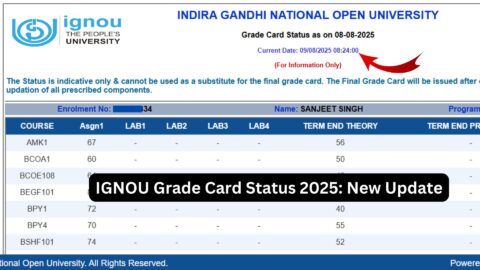
No. Registration or admission details and the grade card serve different purposes. Registration details relate to the student’s admission/registration record, while the grade card contains academic performance information such as assignment and examination marks.
Should I keep my IGNOU registration information?
Yes. It is useful to keep your enrollment number, programme details, admission confirmation, and fee payment records safely throughout your programme.
Conclusion
IGNOU registration details are important for students who want to verify their admission and enrollment information. IGNOU provides an online service called Know Your Admission/Registration Details, where students can enter their enrollment number, select their programme code, and complete the verification process to check the information available in the system.
If you want to check your IGNOU registration details, use the following page:
IGNOU Registration Details:
https://isms.ignou.ac.in/changeadmdata/AdmissionStatusNew.ASP
Before checking the status, keep your enrollment number and programme code ready. If the information does not appear, carefully verify the details you entered and consider checking again later, particularly if your admission or registration was recently completed.